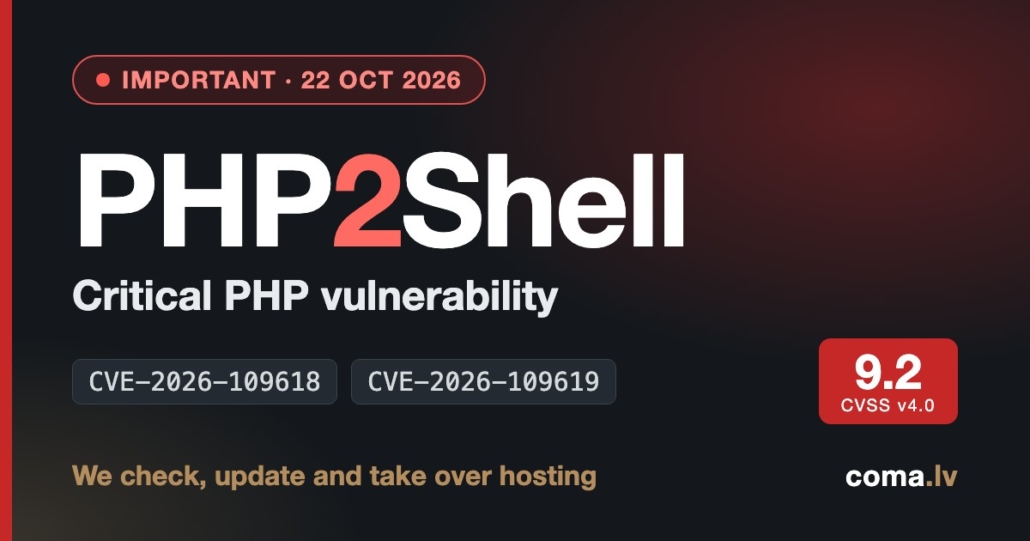
PHP2Shell: Critical PHP Vulnerability (CVE-2026-109618) – What to Do Today
Important · updated 22 October 2026
On 21 October 2026 the PHP project released emergency patches for a critical PHP vulnerability, PHP2Shell — two remote code execution (RCE) flaws, CVE-2026-109618 and CVE-2026-109619. The bugs sit in the PHP engine itself, so they affect any website running an unpatched PHP version: WordPress, WooCommerce, Joomla, Drupal, Magento, Laravel or custom code. Attack attempts began before the patches were public and have increased sharply since the announcement.
Attempts are not confirmed breaches, and security vendors differ on how many attacks succeed. But waiting for confirmation means patching too late. We reply within one business day. For urgent cases, call or message us on WhatsApp.
- Two critical PHP engine vulnerabilities (CVSS 9.2 each) that can be exploited without logging in.
- Fixed in PHP 8.5.12, 8.4.27, 8.3.36 and 8.2.35. PHP 8.1 and older have no official fix.
- After updating, PHP-FPM or Apache must be restarted — until then the old code keeps running.
- Host not updating PHP, or your site is stuck on an old version? We take over hosting, check the website and update it.
What is PHP2Shell?
PHP2Shell is a critical PHP vulnerability — strictly, a pair of flaws in the PHP interpreter: CVE-2026-109618 and CVE-2026-109619. The PHP security team rates both Critical (CVSS v4.0: 9.2) and says both can be exploited by an unauthenticated remote attacker.
Both are memory-handling bugs in the engine: in one, PHP runs out of memory while a request’s internal data is only partly set up; in the other, state left over from a previous request points to memory that has already been freed. In practice this can let an attacker run their own code on the server. The PHP advisory also lists memory disclosure as a confirmed impact, which researchers warn could expose passwords, session tokens or API keys held in server memory.
Because the flaw is in PHP itself, it doesn’t matter how well your plugins are maintained: if the server’s PHP version is vulnerable, every site on it is exposed. PHP considers the risk highest for Apache with mod_php, where an unauthenticated request can trigger the attack before any application code runs; PHP-FPM, CGI, FrankenPHP and LiteSpeed are affected as well.
Timeline: what we know so far
- 17 OctAmazon’s honeypots record a first exploitation attempt — four days before public disclosure.
- 20 OctSecurity firm watchTowr reports reproducing remote code execution.
- 21 OctPHP releases 8.5.12, 8.4.27, 8.3.36 and 8.2.35 (around 14:00 UTC). Cloudflare reports early attacks and deploys initial WAF rules for all plans.
- 22 OctCloudflare’s CEO reports that exploitation attempts have reached the millions. Assessments of success differ: Patchstack has so far seen only probing, while Sansec notes that public exploit code usually needs an additional weakness in the application itself.
Some stats on #php2shell. In the 10 hours before it was publicly announced, across the @Cloudflare network we saw thousands of attempts to exploit it. That jumped to tens of thousands in the 45 minutes post announcement, hundreds of thousands within 2 hours, and millions now.
— Matthew Prince 🌥 (@eastdakota) October 22, 2026
Is my website affected? PHP versions at a glance
If your site runs on PHP and the server's PHP version is below the fixed release for its branch, treat it as vulnerable. The table shows the status by branch.
| PHP branch | Fixed version | Status | What to do |
|---|---|---|---|
| PHP 8.5 | 8.5.12 | Fixed | Update to 8.5.12 or newer and restart PHP. |
| PHP 8.4 | 8.4.27 | Fixed | Update to 8.4.27 or newer and restart PHP. |
| PHP 8.3 | 8.3.36 | Fixed | Update to 8.3.36 or newer and restart PHP. |
| PHP 8.2 | 8.2.35 | Fixed | Update to 8.2.35 or newer and restart PHP. |
| PHP 8.1, 8.0, 7.4 | no official release | No official fix | End of life. PHP's security team published minimal source backports, and some Linux distributions and hosts port the fix to their own builds. Ask for written confirmation, or move to PHP 8.3 / 8.4. |
| PHP 7.3 and older (back to 5.4) | none | No fix | End of life. Move to a supported version and check plugin and theme compatibility. |
The version number can mislead. Linux distributions and some hosts backport fixes without changing the number — and an updated package does nothing until PHP is restarted. Ask your host to confirm in writing that PHP has been updated and restarted.
At the highest risk:
- sites running PHP 7.4, 8.0, 8.1 or older;
- sites at hosts that haven't updated PHP yet;
- VPS and servers with nobody responsible for them;
- sites whose developer is no longer around;
- sites with outdated plugins or a theme that blocks a safe move to newer PHP.
How to check your PHP version
- WordPress: Tools → Site Health → Info → Server → PHP version.
- Plesk: Websites & Domains → PHP Settings. cPanel: MultiPHP Manager.
- Ask your host: has PHP been updated to a release that fixes CVE-2026-109618 and CVE-2026-109619, and have the PHP workers been restarted?
- Server admins:
php -v, plus the restart time of the PHP-FPM / Apache service.
What to do right now: 5 steps
- Find out your PHP version and who is responsible. Who administers the server — your host, an agency, or you?
- Update PHP to 8.3.36, 8.4.27 or newer on your branch, and restart PHP-FPM / Apache. Ask your host to confirm.
- On PHP 8.1 or older, plan a move to a supported version. Don't just switch versions on a live site: take a backup, test on a staging copy and check that plugins and the theme are compatible.
- Look for warning signs in your logs: unusual multipart/form-data requests followed by memory-limit errors or repeated HTTP 500 responses; unusually large or malformed PHPSESSID cookies; unexplained PHP worker restarts. They are not proof of compromise, but worth checking.
- If you suspect a hacked website: update PHP first, then treat the server as potentially compromised — change database, admin, SFTP and API credentials, scan for malware and restore a clean backup if needed. We do hacked WordPress website repair (from about €250, depending on scope).
Temporary measures for server admins (not a substitute for updating)
- Per PHP's guidance: set
session.upload_progress.enabled=0in the PHP-FPM pool or server config (not.user.ini) and restart all PHP workers. On PHP 8.5, also setfatal_error_backtraces=0. - Cloudflare has published initial WAF rules for known exploit vectors, available on all plans including free. They only help if your server accepts traffic exclusively from Cloudflare.
- PHP's security team stresses that these steps reduce exposure but don't make an installation safe — updating is the complete fix.
Not sure which PHP version your website runs on?
Send us the website address — we'll find out what it runs on and what needs to be done.
We reply within one business day. For urgent cases, call or message us on WhatsApp.
How we can help: hosting takeover, website check and update
PHP can't always just be updated: the host is slow to respond, the service was taken offline as a precaution, the site runs on PHP 8.1 or older, or the developer is gone. These are exactly the situations we handle: we take over hosting, check the website, update it so it runs on a patched PHP version, and bring it back online. That is practical website security — not just advice, but the work done.
- RequestMessage or call us — the website address and where it is hosted now are enough.
- CheckWe identify the PHP version, CMS and plugins, outdated components and signs of compromise.
- Move & updateBackup, migration to our servers, compatibility testing on a copy and a planned DNS switch to keep downtime minimal.
- Live & monitoredMonitoring, backups and updates — with a maintenance plan if you want one.
- PHP 8.3.36 and 8.4.27 on our servers
- Hetzner infrastructure in Finland
- Free SSL
- WooCommerce supported
- Migration planned for minimal downtime
We can't promise that old or damaged code will run on newer PHP unchanged — that is why we start with a check. After it you get a clear plan and price before any work begins. The first consultation is free.
See also: WordPress hosting · WordPress maintenance · hacked website repair · what website maintenance includes
Not sure which PHP version your website runs on?
Send us the website address — we'll find out what it runs on and what needs to be done.
We reply within one business day. For urgent cases, call or message us on WhatsApp.
PHP2Shell FAQ
What is PHP2Shell?
PHP2Shell is the name for two critical PHP engine vulnerabilities (CVE-2026-109618 and CVE-2026-109619) that allow remote code execution on a server without logging in. Patches were released on 21 October 2026.
Is WordPress itself vulnerable?
No — the flaws are in PHP, not in WordPress core or a specific plugin. But any WordPress site on a vulnerable PHP version is exposed, and sites on old PHP often have outdated plugins too, which makes moving harder.
Which PHP versions are safe?
Patched versions are PHP 8.5.12, 8.4.27, 8.3.36 and 8.2.35 (or newer). PHP 8.1 and older have no official release; only source patches and fixes backported by some vendors are available.
How do I find out my PHP version?
In WordPress admin: Tools → Site Health → Info → Server. In your hosting panel (for example Plesk) under PHP Settings. Or ask your host.
Is a firewall or Cloudflare enough?
Cloudflare WAF rules and other firewalls help against known attack patterns and are useful as a stopgap, but the PHP project states that updating PHP is the complete fix.
My host hasn't updated PHP. What now?
Ask for written confirmation and a deadline. If you can't get one, the site can be moved to another host — we can take over hosting, check and update the website.
Are your servers patched?
Yes. Our hosting servers run PHP 8.3.36 and 8.4.27 — the fixed releases — and the PHP workers were restarted on the day the patches were released, 21 October 2026. We host no sites on PHP 8.1 or older.
How much does it cost?
The first consultation is free. After checking your site we give a concrete price before work starts. Ongoing WordPress maintenance is from €50/month + VAT; hacked website repair starts from about €250.
How fast can you start?
We reply to requests within one business day; for urgent cases call or message us on WhatsApp.
Sources and updates
Facts checked against:
22 Oct 2026 — article published. This page will be updated as new information appears.
Our specialization is WordPress website development, hosting and maintenance. Contact us for a free consultation — [email protected], +371 29394520
