How to Improve Search in WordPress
Although WordPress has a built-in search system, most site owners know that it does not work very well. The standard search often ignores important fields, does not always account for word forms and in general returns results that are far from ideal. That is why developers look for alternative solutions. Today we will talk about three popular ways to improve search in WordPress — SearchWP, Relevanssi and Google Programmable Search.
Why Replace the Standard WordPress Search?
If you have a small blog, the built-in search may seem sufficient. But as the number of posts and pages grows, it becomes hard for users to find the information they need. The standard search does not index PDF files, works poorly with custom post types and cannot take the importance of fields into account. As a result, part of the content turns out to be “invisible”.
SearchWP
A powerful commercial option, SearchWP is considered one of the most advanced search solutions for WordPress. It is a premium plugin that can:
- Index posts, pages, custom post types, custom fields and even the contents of PDF files.
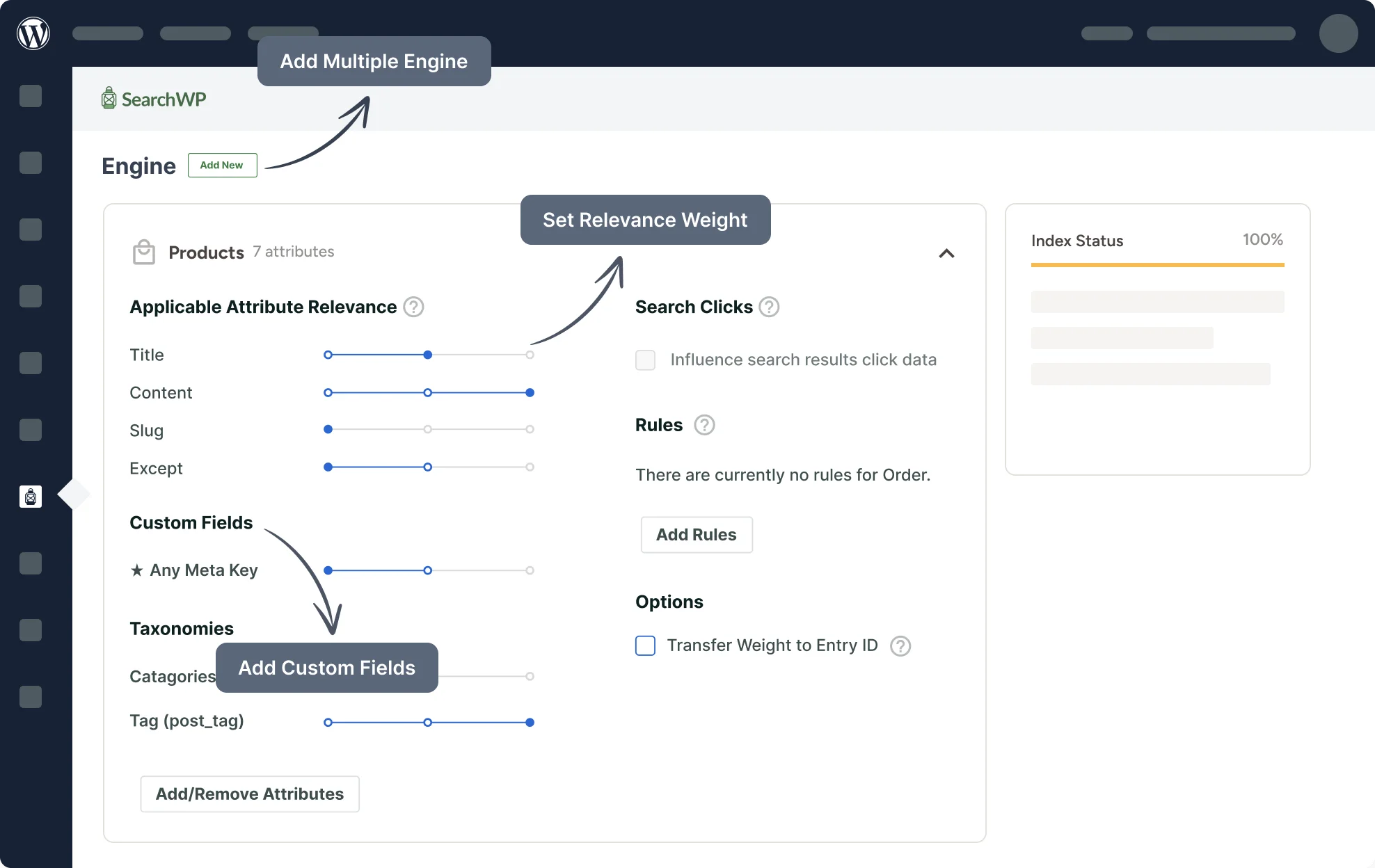
- Set a “weight” for different fields: for example, so that titles have higher priority than the body text.
- Work with WooCommerce, which is especially useful for online stores.
- Provide search across custom taxonomies and metadata.
The plugin has a convenient dashboard where you can flexibly configure indexing rules and search results. SearchWP has one drawback — it is paid. The license costs from $99 a year, and for small sites this can be noticeable. But you get stable support and updates.
How to Install and Configure SearchWP
- Buy and download the plugin from the official SearchWP website.
- In the WordPress admin panel go to Plugins → Add New → Upload Plugin.
- Upload the archive, install and activate it.
- A SearchWP section will appear in the menu. Go there and configure indexing: choose which posts, pages and fields to index.
- Set the weight for titles, content, taxonomies and other elements.
- Click Save and wait for indexing to finish.
- After that the standard WordPress search form will use the new engine.
Relevanssi
If you are looking for a free solution, it is worth trying Relevanssi. This plugin has long since proven itself in the WordPress community and significantly improves the quality of search compared with the standard one. Its features include:
- Indexing all of the site’s content, including custom post types and taxonomies.
- Configuring relevance and sorting of results.
- Highlighting of found words in the text.
- Support for “phrase search” and partial matching.
The free version is quite enough for most sites. However, there is also a premium option that adds PDF search, multisite support and more flexible settings.
How to Install and Configure Relevanssi
- Go to the WordPress admin panel → Plugins → Add New.
- In the search field type “Relevanssi” and install the plugin that is found.
- Activate it. A Relevanssi section will appear in the menu.
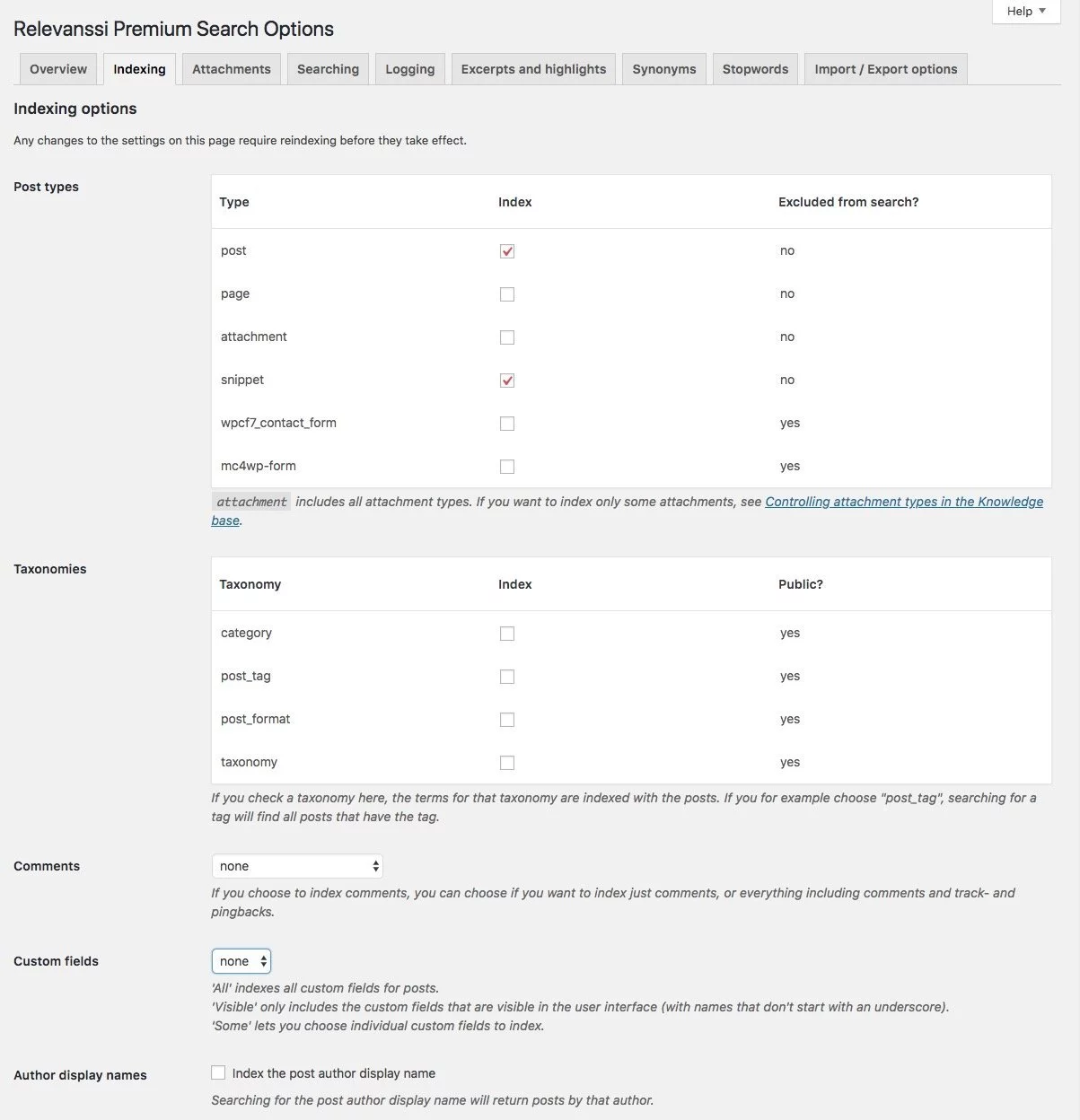
- Go to Settings → Relevanssi. Here you can enable indexing of posts, pages, taxonomies and custom fields.
- Click the Build the index button so that the plugin indexes all the content.
- Configure the relevance parameters: what weight titles, comments and metadata have.
- Save the changes. Now the built-in WordPress search will use Relevanssi.
Google Programmable Search
Another option is to embed Google search into your site. This service used to be called Google Custom Search, and is now known as Google Programmable Search Engine. Its main advantage is that it uses Google’s powerful algorithm and completely takes the load off your server.
Pros of Programmable Search:
- A free plan (with limits on the number of queries per day).
- The ability to limit search to your own site only.
- Fast performance and highly relevant results.
- Simple customization of the look to match the site’s design.
Cons:
- On the free plan Google ads are shown in the results. To remove them, you need to switch to a paid plan.
How to Add Programmable Search to Your Site
- Go to the Programmable Search Engine website and click the Get started button.
- Sign in to your Google account if you are not signed in yet.
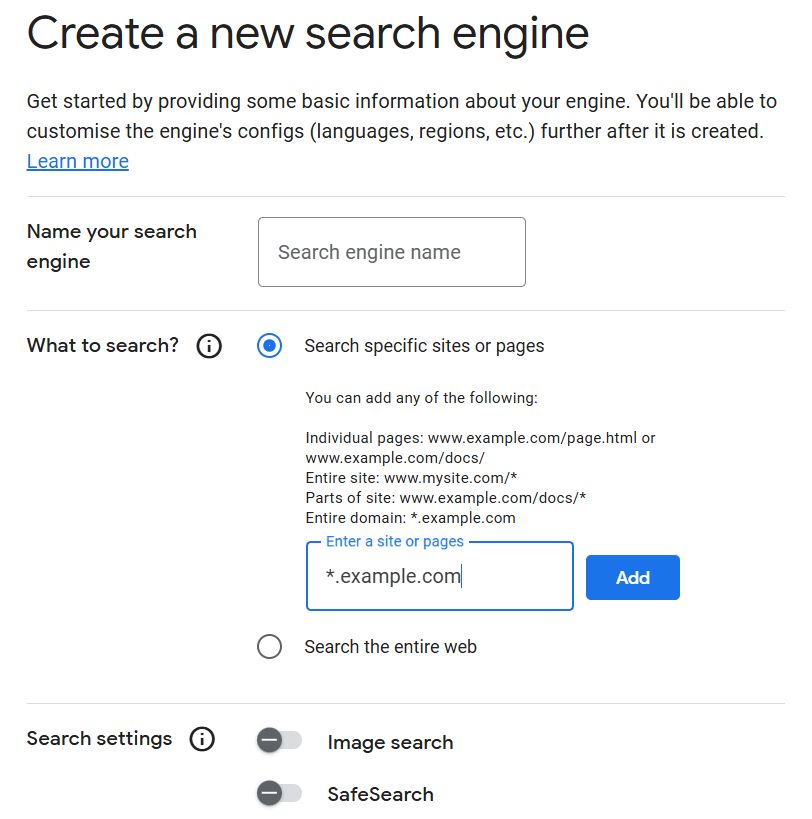
- Create a new search engine. In the Name your search engine field come up with a name (it is needed for your dashboard; visitors will not see it). In the What to search? field add your site (or sites) that the search will cover.
- After that the system will create your search engine and give you ready-made HTML/JavaScript code. Copy it — you will need it to insert into WordPress.
There are different ways to insert the code. The simplest is to use Appearance → Widgets → Custom HTML: create a new widget, paste the search engine code into it and save the changes. The search form will appear on the site right away.
If you find it more convenient to work with a plugin, you can install WP Google Search: after activation, in the Settings → WP Google Search section paste the code and add the plugin’s widget to the place you need via Appearance → Widgets.
For those who prefer to edit the theme directly, the searchform.php file will do: replace its contents with the code Google gave you, and the standard WordPress search form will use Programmable Search.
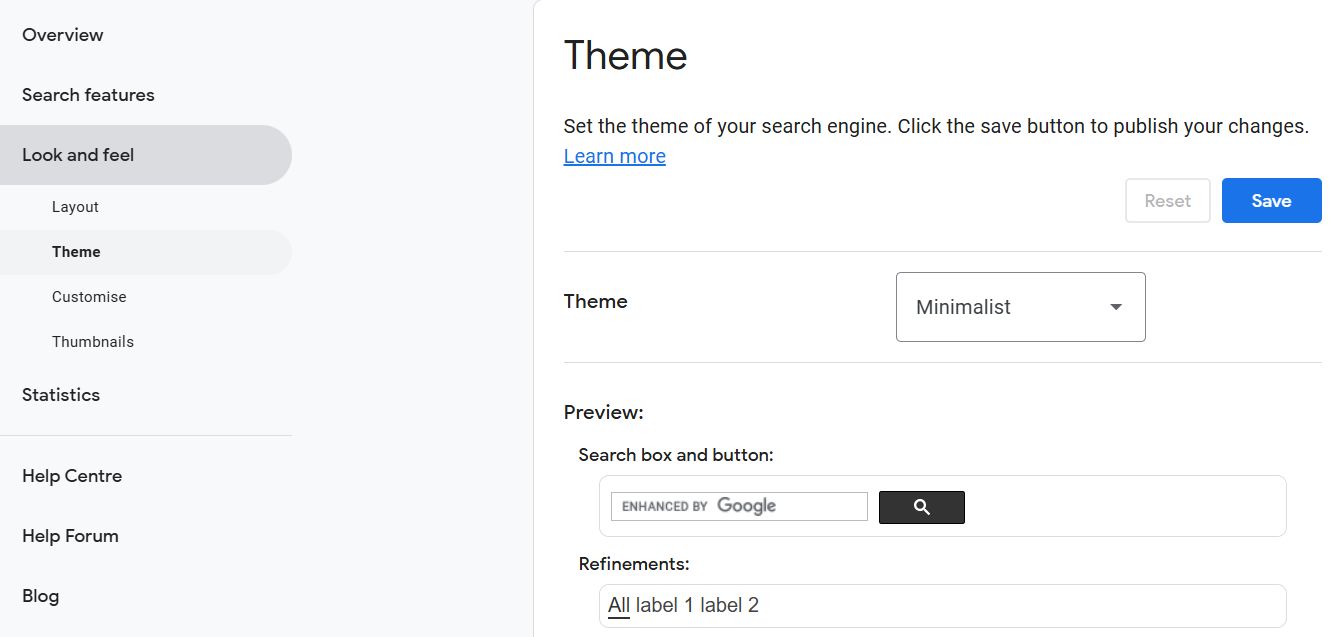
In the Programmable Search control panel you can change the look of the form and search results, manage the display of ads, enable image search, configure filters and other search engine settings. All changes are applied automatically; you do not need to insert the code again.
What to Choose: SearchWP, Relevanssi or Google Programmable Search?
If you have a small site or blog and want to improve search without spending money, start with Relevanssi. It is simple to set up and gives a noticeable result right after installation. If you have a large site, an online store or a portal with thousands of pages where speed, flexibility and support matter, it makes sense to invest in SearchWP. And if you want to use a powerful external search engine, minimize the load on the server and are ready to put up with Google branding or pay for a premium plan, Programmable Search is an excellent choice.
Bottom line: search in WordPress stopped being “just an option” long ago. It is an important tool on which the convenience of your visitors’ experience of your site depends directly. SearchWP, Relevanssi and Google Programmable Search are three proven solutions that will help you make search fast, accurate and genuinely useful. The choice depends on your tasks and budget.
Our specialization is WordPress website development and maintenance. Contact us for a free consultation — [email protected], +371 29394520
