How to Easily Display Code on Your Site
Do you have a development blog and would like to post code snippets on it? By default, displaying code on a WordPress site is not an easy task, because for security reasons WordPress filters block any code added to posts, widgets or comments. So you need to install and activate the Syntax Highlighter Evolved plugin. After activating it, go to the Settings » Syntax Highlighter page to configure the plugin you have just installed.
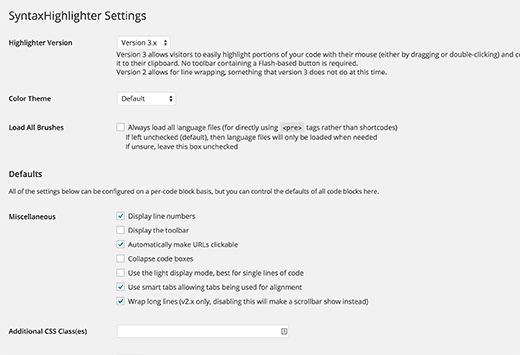
The default settings should suit any site, but in any case you should review them carefully and make changes if needed. Every setting has a detailed description of what it does. The plugin uses simple shortcodes to display code. For each language you need to wrap the code in the corresponding shortcode. For example, in the case of PHP you will need to wrap the code like this:
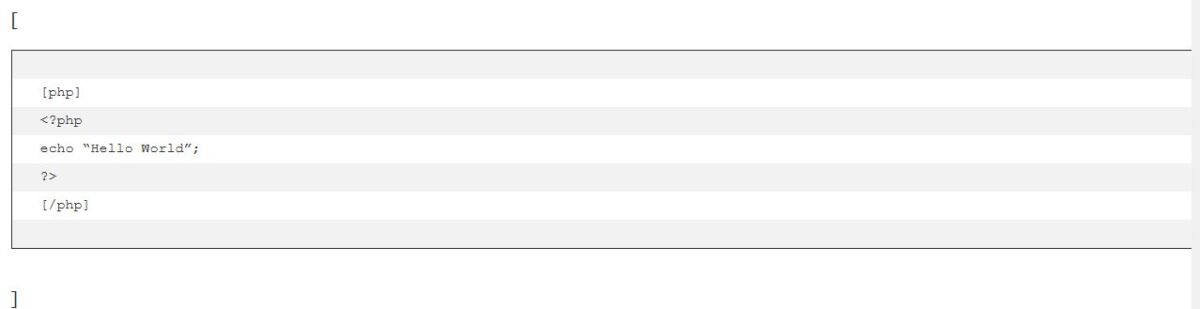
[
<?php
echo “Hello World”;
?>
]
For CSS:
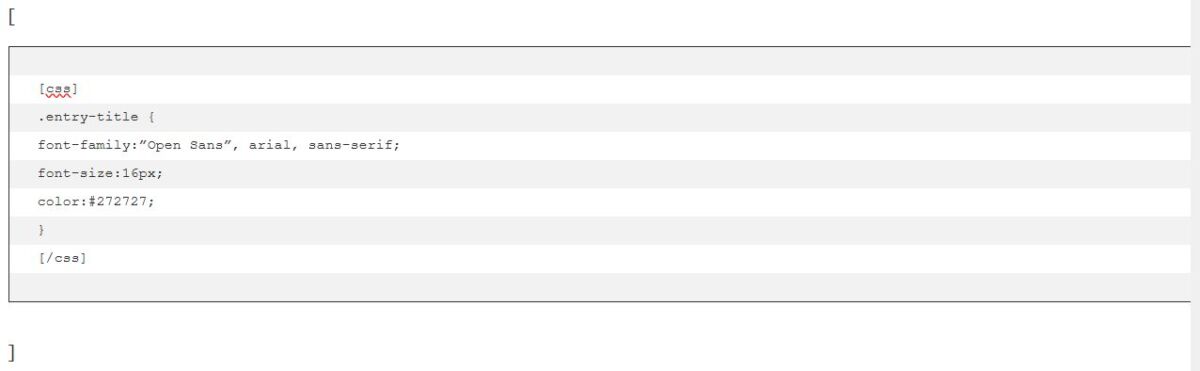
[
.entry-title {
font-family:”Open Sans”, arial, sans-serif;
font-size:16px;
color:#272727;
}
]
The plugin will highlight your code and add line numbers and indentation so that your readers can easily copy and paste code snippets from your site.
How to Display Code in WordPress Without Using Plugins
Many users run blogs unrelated to development, so they do not need to insert code snippets into their posts often. For rare cases you can add code by converting it to HTML in a similar way:
>?php echo “Hello World”; ?<
The problem with this method is that it is hard to do manually, so you will need to use specialized online services. After converting the code to HTML, you can insert it into posts. For additional styling you can wrap the code in <code> and </code> tags.
Our specialization is WordPress website development and maintenance. Contact us for a free consultation — [email protected], +371 29394520
