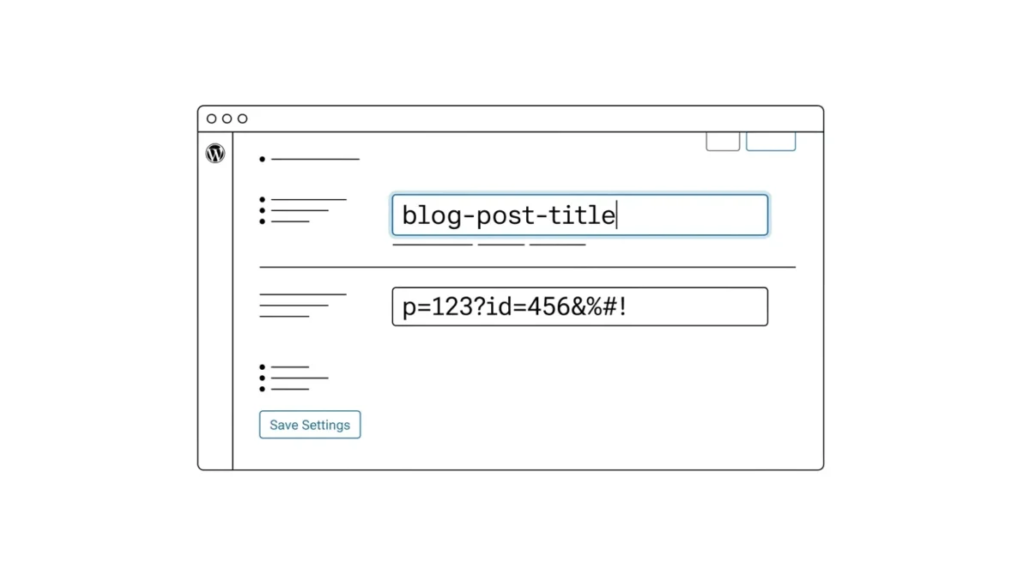
What Is an SEO-Friendly URL Structure in WordPress?
Before we get to the question of WordPress permalinks, it is important to define what an SEO-friendly URL is. Such an address contains keywords that explain the essence of the article and is easy to read for both humans and search engines. It also increases the chances of ranking higher in search engines. An example of an SEO-friendly URL:
https://coma.lv/how-to-install-wordpress/
And what does an SEO-UNfriendly URL look like?
https://coma.lv/?p=10467
By default, WordPress now uses the post title in the URL, which is the most SEO-friendly URL structure. So why do beginners keep asking about the permalink structure? Because in the past WordPress did not use pretty URLs, also known as permalinks. By default WordPress used URLs that were not as SEO-friendly as in the example above. This changed in WordPress 4.2, so if you have only recently installed WordPress, your URLs are search-optimization friendly. You can also easily confirm your permalink settings in the WordPress admin.
The Permalink Settings Page Explained
In WordPress, links are called permalinks. First you need to go to the permalink settings page in your site’s admin. Just click the Settings link in the admin panel and then Permalinks. You will see a page similar to this one:
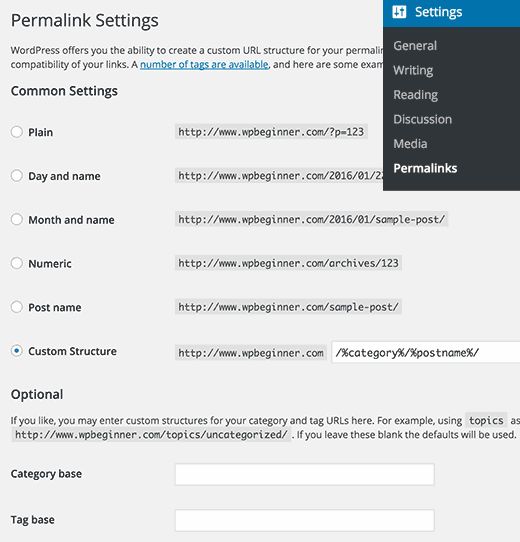
As you can see, there is a whole range of options. Let’s try to understand them. The first option, called plain, uses the default URL structure in WordPress. This option is not search-optimization friendly.
The day and name option is already more or less friendly, since the post title is present in the URL. However, with dates the URL becomes too long. But more importantly, after some time the content becomes outdated even if you update it regularly. Likewise, the month and name option risks becoming outdated.
However, when it comes to publishing news, you may want the date to be displayed in your URLs, indicating how fresh the news is and improving the user experience. In our view, these two structures are suitable only for news sites. Business sites should avoid them. The Post Name option is the best, as it is the shortest and clearest. If you have a large publication, you can use a custom structure, which can also be SEO-friendly. For example, if you have a lot of posts, you can add their category to the URL so that users do not get confused. To use a custom URL structure, you will need to add special tags to the custom structure field. For example, we use:
/%category%/%postname%/
Note how each tag is enclosed between percent signs and how there are slashes before, after and between the tags.
Creating a Custom URL Structure with the Available Tags
For the best results we advise using the options mentioned above. However, there are many other combinations you can create using tags. Here is a list of tags you can use to create your own URL structure.
• %year% – the year of the post, four digits, for example 2016.
• %monthnum% – the month of the year, for example 05
• %day% – the day of the month, for example 28
• %hour% – the hour of the day, for example 15
• %minute% – the minute of the hour, for example 43
• %second% – the second of the minute, for example 33
• %postname% – a processed version of the post title. For example, if your post is called This Is A Great Post!, its name in the URL will become this-is-a-great-post.
• %post_id% – the unique ID number of your post, for example 423
• %category% – a processed version of the category name.
• %author% – a processed version of the author’s name.
Once you click the save button, WordPress will automatically update your site’s .htaccess file and immediately start using the new URL structure.
Warning: an important note for sites that are already running
If your site has been running for six months or more, please do not change the permalink structure. You do not need to have the structure we used. By changing the permalink structure you risk losing social media shares and risk losing your existing search positions. If you need to change the permalink structure, hire a professional who can set up proper redirects. However, you will lose the share counts on pages in any case. There is only one exception to this rule: if your site uses plain URLs, then regardless of its age you should update the URL structure for better SEO. Yes, you will lose the social share counts, but in the long term this is a trifle compared to the effect that changing the URL structure will have for you.
Our specialization is WordPress website development and maintenance. Contact us for a free consultation — [email protected], +371 29394520
