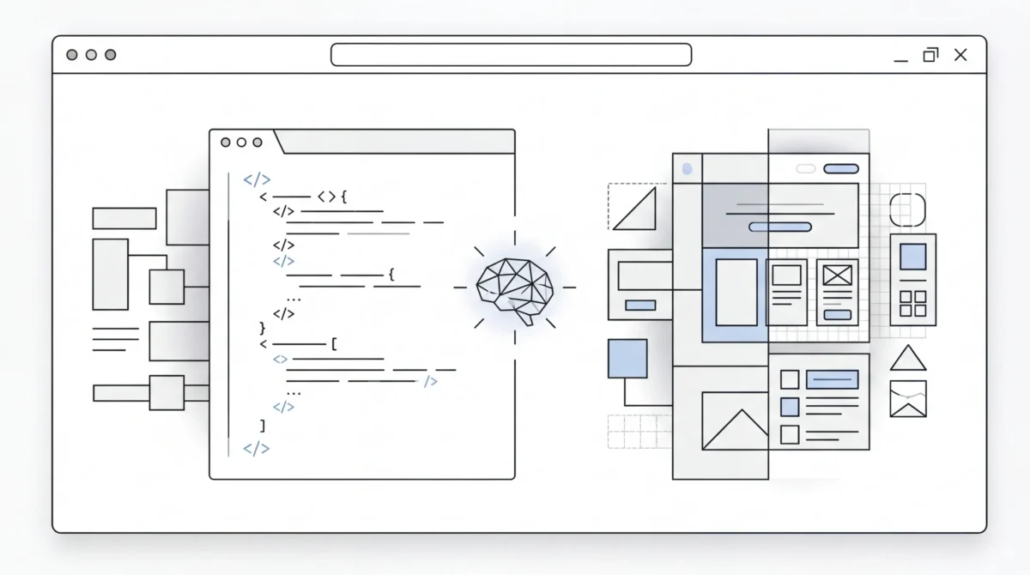
From Idea to Fully Built Website — How AI Is Transforming Web Development
In just a few years, the world of web development has shifted from hammering out lines of code manually to strategically collaborating with intelligent assistants that understand language, context, and even visual design. What used to be a task reserved for seasoned programmers has opened up in new ways: today, AI tools help you sketch ideas, write functioning code, debug problems, generate visuals, and even stitch together polished interfaces. We’ve already put this into practice ourselves — several of our recent projects were built with AI assistance at different stages of development.
This change isn’t about replacing developers — it’s about making development feel more like a conversation with a smart collaborator. Instead of drowning in boilerplate tasks, you can focus on the creative and architectural parts of building something cool.
Let’s walk through some of the most talked‑about AI tools in this space — what they are, how they work, and what kinds of things you can do with them.
Cursor: Interactive Coding That Understands Your Project
Imagine you’re working on a website and you want help. With a normal code editor, you might search through files, copy examples, or look things up. With Cursor, you describe what you want — “Add a sign‑in form that saves data to this database,” for instance — and the tool responds with real code, placed where it belongs in your project.
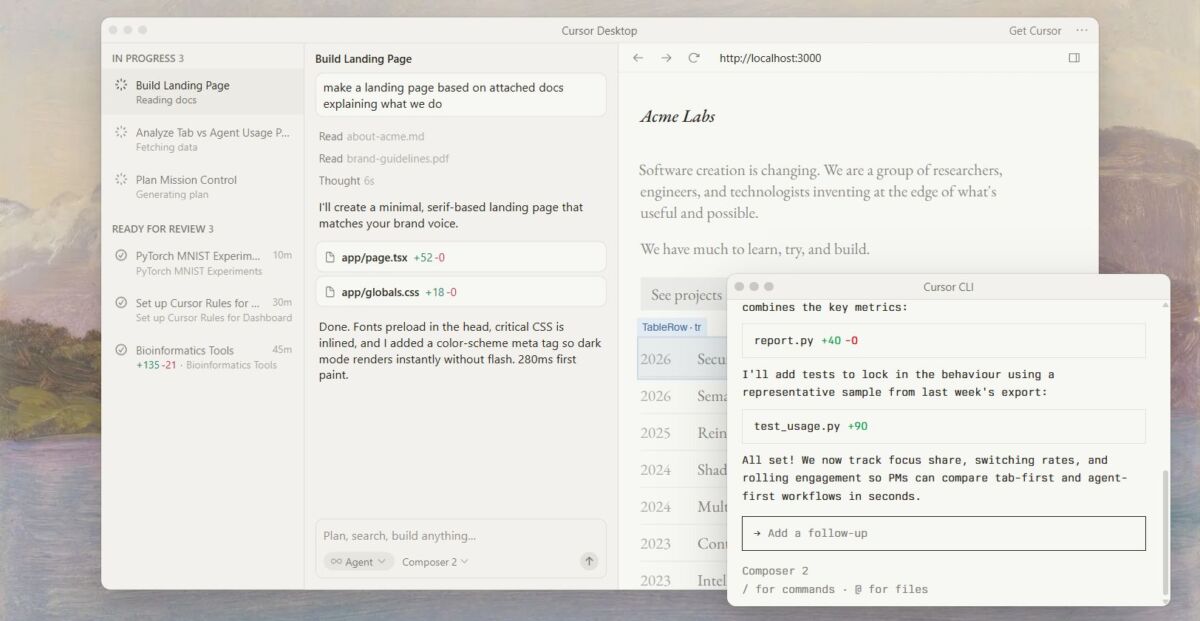
Cursor started out by enhancing an existing code editor with AI features. It “reads” your entire codebase so it knows what files and logic you’re working with. Instead of just suggesting autocomplete text, it can edit multiple files in context, answer questions like “Where is the navigation logic?”, or help you fix bugs with explanations rather than cryptic error dumps.
Cursor also now supports agentic workflows, meaning you can give it a task in plain language — like “Refactor this section to use our new API” — and it carries the task out, updating files for you.
How you might use it:
- Write code while asking the AI questions like you would a teammate
- Ask it to clean up or improve messy code
- Let it handle repetitive refactoring so you can think about features
In essence, Cursor acts like a smart coding partner that listens to what your project looks like and gives you responses grounded in real context.
Claude: A Thinking Partner for Code Logic
While tools like Cursor work right inside your editor, Claude leans more toward reasoning and explanation. Developed by Anthropic, Claude isn’t just about spitting out code — it’s about helping you understand code and the decisions behind it.
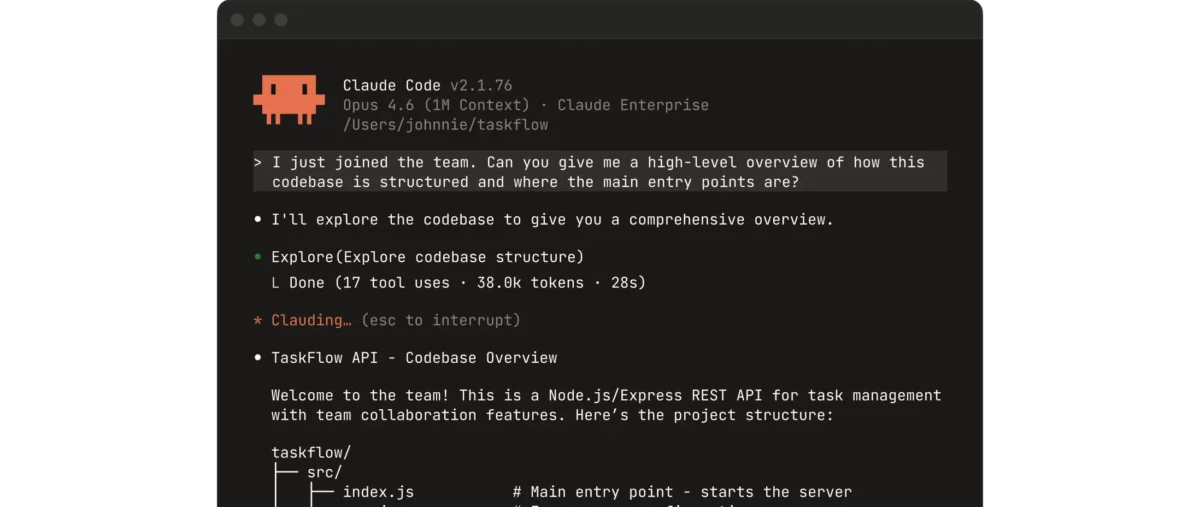
Think of Claude as someone you can ask things like: “Is this a good way to validate inputs?” or “How should I structure this app to handle multiple users?” and get back clear, thoughtful responses instead of just lines of text. Many developers pair Claude with their coding environments so they can use its guidance at decision points.
How Claude shows up in real workflows:
- Reviewing large or complex projects and generating summaries
- Refactoring code with explanations of why changes help
- Structuring project setups or pipelines before a single line of code is written
Because Claude focuses on reasoning and context, it’s especially useful when you’re planning or revisiting architecture — or teaching someone else why a certain approach makes sense.
Gemini: The AI Engine Powering a New Generation of Tools
If Claude feels like a smart teammate and Cursor feels like a responsive editor, Gemini is like the AI engine under the hood of many next‑generation tools. Developed by Google, Gemini is a large language and reasoning model that can handle both text and visuals, and is the foundation for image tools like Nano Banana and design helpers like Stitch.
What makes Gemini interesting is that it blends strong reasoning with multimodal capabilities — meaning it doesn’t just understand text, it can work with images and context across different formats. For web creators, that’s a gateway to tools that can seamlessly move from concept sketches to functioning interfaces.
Gemini also powers AI agents that can carry out complex workflows — like updating code, verifying results, or generating visuals — in tandem with development environments like Google’s Antigravity.
In many ways, Gemini is becoming a bit of a Swiss Army knife in modern AI development stacks because it can support writing, reasoning, and creativity all in one place.
Nano Banana: From Words to Eye‑Catching Visuals
Code and logic are only part of a website’s appeal — visuals matter just as much. That’s where Nano Banana comes in. Originally a viral sensation for turning selfies into toy‑like 3D figures, Nano Banana (officially a variant of Gemini’s image model) is now being used for far more practical design generation and editing.
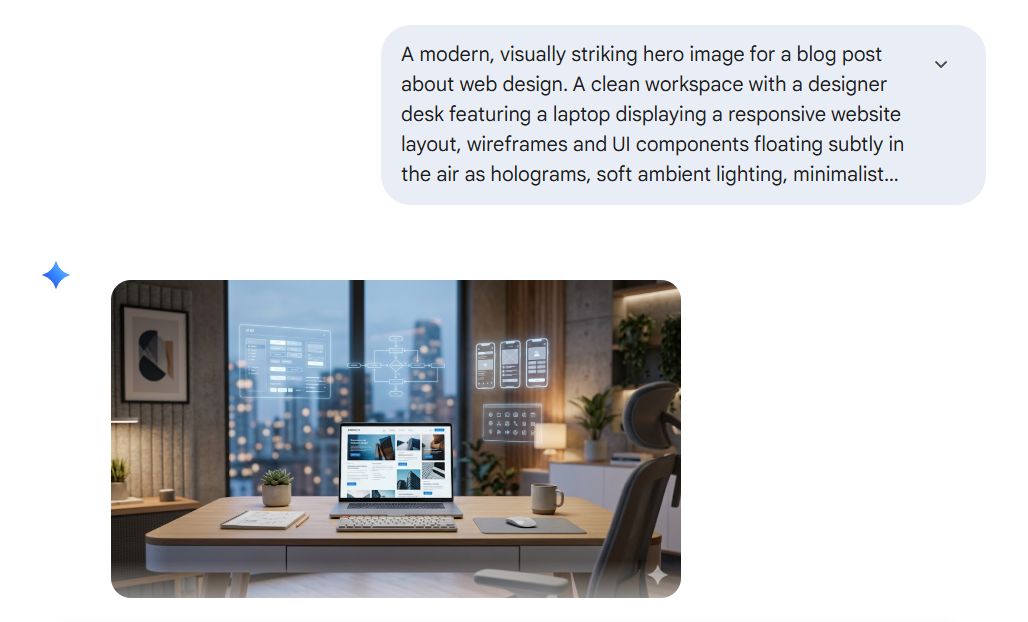
With a text description like “Generate an infographic showing our monthly traffic trends,” Nano Banana can build high‑quality visuals, logos, icons, diagrams, or mockups. It doesn’t just create random images: the model is built to understand what you’re describing and translate that into visuals that match your intent.
Soon, Nano Banana can even be embedded into workflows like an IDE. That means you could ask your environment to both generate code and create matching visual assets in one go.
Whether you’re illustrating user journeys, designing headers, or synthesizing data into diagrams, Nano Banana transforms what used to be tedious graphic design work into a fluid, conversational process.
Stitch: Turning Ideas Into Interfaces in Minutes
If Nano Banana handles the looks, Stitch is all about turning your ideas into fully functional interface elements with code.
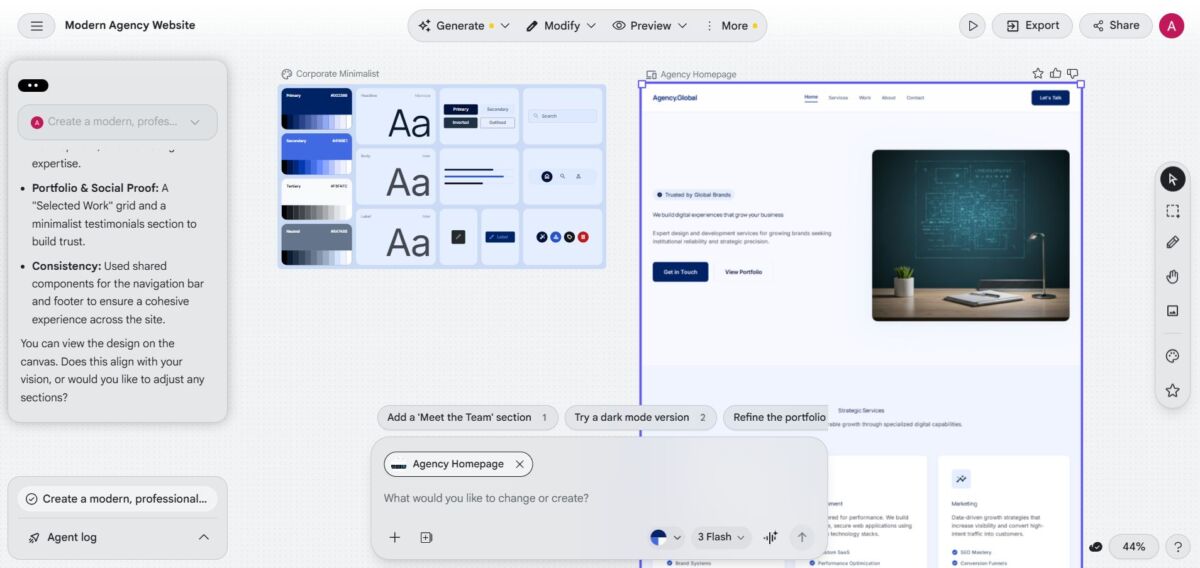
Stitch is an experimental tool from Google Labs that takes natural language prompts — and sometimes even reference images — and turns them into interactive design layouts and front‑end code ready to use in a project.
Imagine describing a web page layout like: “A homepage with a top navigation bar, a hero section with sign‑up buttons, and a footer with contact info,” and having it render not just a mockup, but actual working components that can be dropped into your project. That’s the kind of workflow Stitch is exploring.
What’s especially compelling is that you don’t have to bounce between design tools, code editors, and handoffs — Stitch aims to collapse that cycle into one seamless experience.
As visual thinking and code generation converge, tools like Stitch are helping bridge the gap between initial concept and real implementation without losing momentum.
Antigravity: AI Agents That Build and Verify Your Work for You
If Cursor helps you code faster and Stitch builds code from descriptions, Antigravity — from Google — flips the whole dynamic: it lets you delegate development work to AI agents that act autonomously.
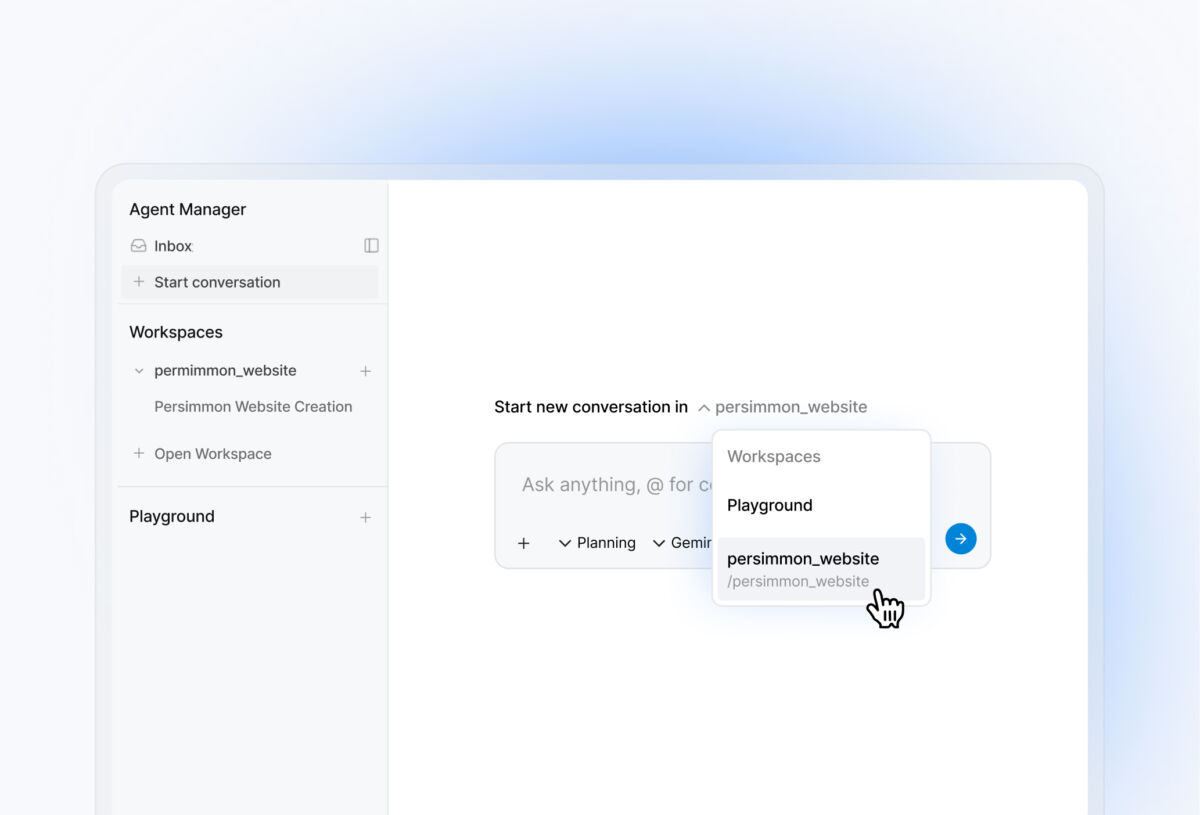
In a typical code editor, you write lines of code yourself and ask for suggestions. With Antigravity, you describe what you want — “Add multi‑factor authentication and test it in the browser” — and the AI agents take that mission, make changes across files, run tests, and even check results with screenshots or logs.
It’s a bit like putting a team of junior developers on a task while you oversee progress and review the results.
Antigravity lets you spawn multiple agents at once — each working on a slice of your project — and then brings everything together with verifiable reports that you can review and accept.
How this changes workflows:
- Complex features can be built with less back‑and‑forth editing
- Agents can verify their changes automatically
- You get a record of what changed and why
Instead of micromanaging each line, Antigravity encourages a mission‑oriented development style, where you describe goals and let the AI handle execution and verification.
The Future of Building for the Web
When you look across these tools — Cursor, Claude, Gemini, Nano Banana, Stitch, and Antigravity — you start to see a new development paradigm emerging. It’s no longer just writing syntax; it’s about communicating intent and letting intelligent systems translate that into real software and visuals.
AI is not just a helper — it’s becoming a creative partner that understands your language, your designs, your architecture, and your goals. Instead of scattered tools for different tasks, we are moving toward unified environments where conversations, code, and design all flow together.
And that’s changing how websites, applications, and digital products come to life — faster, more intuitively, and with fewer barriers between idea and reality. At Coma, we’ve integrated these tools into our web development services to deliver faster, smarter results for our clients.
Our specialization is WordPress website development and maintenance. Contact us for a free consultation — [email protected], +371 29394520
