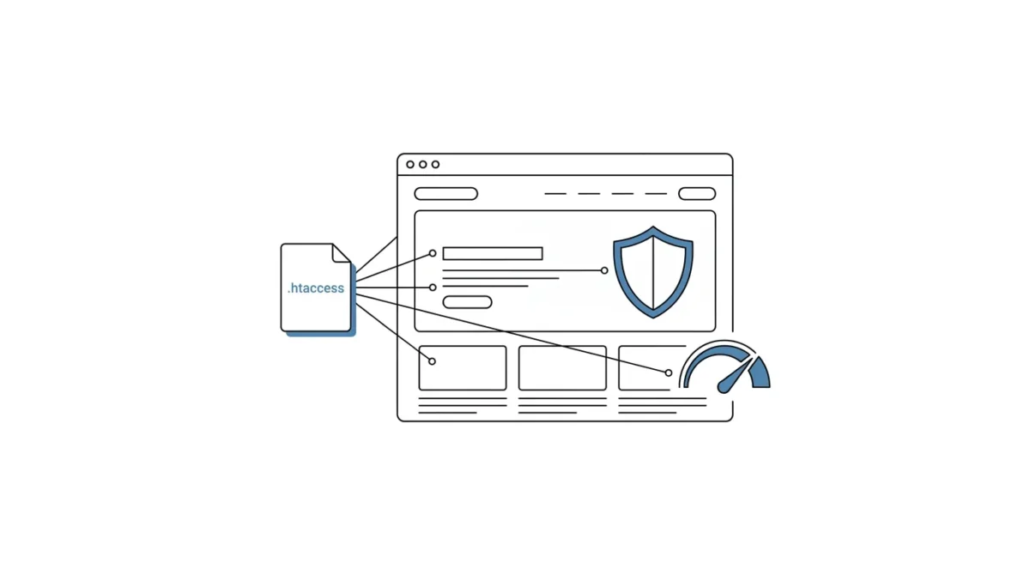
How to Speed Up WordPress and Protect Your Site with .htaccess and No Plugins at All
Do you need to protect your WordPress site? Then here is a good way that requires using ONLY .htaccess
What Is .htaccess
.htaccess is a configuration file on Apache servers. Placed in the appropriate directory, the file is detected and processed by the Apache software. This file is used to enable and disable features that Apache has. Among these features are redirects for 404 pages, as well as more advanced things such as blocking image hotlinking, cache compression management, password protection of content and much more, which you can learn about here.
How Does All This Work?
I have the idea of avoiding huge libraries from lots of plugins and settings that I place on the server. For this purpose I use .htaccess
Enabling Gzip in WordPress with .htaccess
To enable gzip in your WordPress you need to enable mod_deflate.c and use suitable filters. For example, these:
<ifmodule mod_deflate.c>
	AddOutputFilterByType DEFLATE text/plain
	AddOutputFilterByType DEFLATE text/text
	AddOutputFilterByType DEFLATE text/html
	AddOutputFilterByType DEFLATE text/plain
	AddOutputFilterByType DEFLATE text/xml
	AddOutputFilterByType DEFLATE text/css
	AddOutputFilterByType DEFLATE image/gif
	AddOutputFilterByType DEFLATE image/jpeg
	AddOutputFilterByType DEFLATE image/jpg
	AddOutputFilterByType DEFLATE image/png
	AddOutputFilterByType DEFLATE image/gif
	AddOutputFilterByType DEFLATE image/flv
	AddOutputFilterByType DEFLATE image/ico
	AddOutputFilterByType DEFLATE image/swf
	AddOutputFilterByType DEFLATE application/rss+xml
	AddOutputFilterByType DEFLATE application/xhtml+xml
	AddOutputFilterByType DEFLATE application/xml
	AddOutputFilterByType DEFLATE application/x-javascript
	AddOutputFilterByType DEFLATE application/javascript
	AddOutputFilterByType DEFLATE application/json
	AddOutputFilterByType DEFLATE video/3gpp
	AddOutputFilterByType DEFLATE video/3gpp2
	AddOutputFilterByType DEFLATE video/x-flv
	AddOutputFilterByType DEFLATE video/jpm
	AddOutputFilterByType DEFLATE video/jpeg
	AddOutputFilterByType DEFLATE video/x-m4v
	AddOutputFilterByType DEFLATE video/mp4
	AddOutputFilterByType DEFLATE video/ogg
	AddOutputFilterByType DEFLATE video/webm
	AddOutputFilterByType DEFLATE video/quicktime
	AddOutputFilterByType DEFLATE audio/x-mpegurl
	AddOutputFilterByType DEFLATE audio/midi
	AddOutputFilterByType DEFLATE audio/mp3
	AddOutputFilterByType DEFLATE audio/mp4
	AddOutputFilterByType DEFLATE audio/mpeg
	AddOutputFilterByType DEFLATE audio/webm
	AddOutputFilterByType DEFLATE audio/basic
	AddOutputFilterByType DEFLATE audio/x-wav
	AddOutputFilterByType DEFLATE audio/wav

	# Fix Browsers
	BrowserMatch ^Mozilla/4 gzip-only-text/html
	BrowserMatch ^Mozilla/4\.0[678] no-gzip
	BrowserMatch \bMSIE !no-gzip !gzip-only-text/html
</ifmodule>
This example covers all the important media types you need. By enabling this in your .htaccess, you will get the best performance and loading time for your site. The only exception is Mozilla, some versions of which do not support Gzip.
Configuring the WordPress Cache in .htaccess
If you want to speed up your site by caching JavaScript, CSS and images, you can easily configure this through .htaccess by enabling mod_expires.c
# Expires - 2678400s = 31 days
<ifmodule mod_expires.c>
	ExpiresActive On
	ExpiresDefault "access plus 1 seconds"
	ExpiresByType text/html "access plus 7200 seconds"
	ExpiresByType image/gif "access plus 2678400 seconds"
	ExpiresByType image/jpeg "access plus 2678400 seconds"
	ExpiresByType image/png "access plus 2678400 seconds"
	ExpiresByType text/css "access plus 518400 seconds"
	ExpiresByType text/javascript "access plus 2678400 seconds"
	ExpiresByType application/x-javascript "access plus 2678400 seconds"
</ifmodule>
In my example I use caching for 31 days. You can change this setting to the one you need. And here is the code for headers:
# Cache Headers
<ifmodule mod_headers.c>
	# Cache specified files for 31 days
	<filesmatch "\.(ico|flv|jpg|jpeg|png|gif|css|swf)$">
		Header set Cache-Control "max-age=2678400, public"
	</filesmatch>
	# Cache HTML files for a couple hours
	<filesmatch "\.(html|htm)$">
		Header set Cache-Control "max-age=7200, private, must-revalidate"
	</filesmatch>
	# Cache PDFs for a day
	<filesmatch "\.(pdf)$">
		Header set Cache-Control "max-age=86400, public"
	</filesmatch>
	# Cache Javascripts for 31 days
	<filesmatch "\.(js)$">
		Header set Cache-Control "max-age=2678400, private"
	</filesmatch>
</ifmodule>
You can configure the max-age parameter however you like.
Protecting Your WordPress Installation with .htaccess
In fact, WordPress is quite vulnerable to attackers, but you can make their job harder. Yes, there are plugins that offer decent protection, but in some cases .htaccess can be a much more effective solution.
# Disable directory browsing
Options All -Indexes

# Deny access to wp-config.php file
<files wp-config.php>
	order allow,deny
	deny from all
</files>

# Deny access to xmlrpc.php file *** REMOVE THIS IF YOU WANT TO ACCESS IT ***
<files xmlrpc.php>
	order allow,deny
	deny from all
</files>

# Deny access to all .htaccess files
<files ~ "^.*\.([Hh][Tt][Aa])">
	order allow,deny
	deny from all
	satisfy all
</files>

# Block wp-includes folder and files
<IfModule mod_rewrite.c>
	RewriteEngine On
	RewriteBase /
	RewriteRule ^wp-admin/includes/ - [F,L]
	RewriteRule !^wp-includes/ - [S=3]
	RewriteRule ^wp-includes/[^/]+\.php$ - [F,L]
	RewriteRule ^wp-includes/js/tinymce/langs/.+\.php - [F,L]
	RewriteRule ^wp-includes/theme-compat/ - [F,L]
</IfModule>

# Block Massive attacks
<IfModule mod_rewrite.c>
	RewriteEngine On
	# Block out any script trying to base64_encode data within the URL.
	RewriteCond %{QUERY_STRING} base64_encode[^(]*\([^)]*\) [OR]
	# Block out any script that includes a <script> tag in URL.
	RewriteCond %{QUERY_STRING} (<|%3C)([^s]*s)+cript.*(>|%3E) [NC,OR]
	# Block out any script trying to set a PHP GLOBALS variable via URL.
	RewriteCond %{QUERY_STRING} GLOBALS(=|\[|\%[0-9A-Z]{0,2}) [OR]
	# Block out any script trying to modify a _REQUEST variable via URL.
	RewriteCond %{QUERY_STRING} _REQUEST(=|\[|\%[0-9A-Z]{0,2})
	# Return 403 Forbidden header and show the content of the root homepage
	RewriteRule .* index.php [F]

	RewriteCond %{REQUEST_FILENAME} !-f
	RewriteCond %{REQUEST_FILENAME} !-d

	# Disable user agents from this locations
	SetEnvIfNoCase User-Agent "^Missigua Locator" bad_bot
	#SetEnvIfNoCase User-Agent "^PEAR HTTP_Request class" bad_bot
	SetEnvIfNoCase User-Agent "^Java/1.4.1" bad_bot
	SetEnvIfNoCase User-Agent "^Java/1.5.0" bad_bot
	SetEnvIfNoCase User-Agent "^psycheclone" bad_bot
	SetEnvIfNoCase User-Agent "^WEP Search 00" bad_bot
	SetEnvIfNoCase User-Agent "^FlashGet" bad_bot
	SetEnvIfNoCase User-Agent "^GetRight" bad_bot
	SetEnvIfNoCase User-Agent "^GetWeb!" bad_bot
	SetEnvIfNoCase User-Agent "^Go!Zilla" bad_bot
	SetEnvIfNoCase User-Agent "^httplib" bad_bot
	SetEnvIfNoCase User-Agent "^Indy Library" bad_bot
	SetEnvIfNoCase User-Agent "^InfoNaviRobot" bad_bot
	SetEnvIfNoCase User-Agent "^InterGET" bad_bot
	SetEnvIfNoCase User-Agent "^Internet Ninja" bad_bot
	SetEnvIfNoCase User-Agent "^LexiBot" bad_bot
	SetEnvIfNoCase User-Agent "^libWeb/clsHTTP" bad_bot
	SetEnvIfNoCase User-Agent "^libwww" bad_bot
	SetEnvIfNoCase User-Agent "^libwww-perl" bad_bot
	SetEnvIfNoCase User-Agent "^LinkextractorPro" bad_bot
	SetEnvIfNoCase User-Agent "^Mozilla.*NEWT" bad_bot
	SetEnvIfNoCase User-Agent "^Octopus" bad_bot
	SetEnvIfNoCase User-Agent "^ProWebWalker" bad_bot
	SetEnvIfNoCase User-Agent "^SuperBot" bad_bot
	SetEnvIfNoCase User-Agent "^WebAuto" bad_bot
	SetEnvIfNoCase User-Agent "^Wells Search II" bad_bot
	SetEnvIfNoCase User-Agent "^Wget" bad_bot
	SetEnvIfNoCase User-Agent "^wget" bad_bot

	<Limit GET POST>
		order allow,deny
		allow from all
		deny from env=bad_bot
	</Limit>
</IfModule>
First of all, I forced indexing off in places where there is direct access. This is in case someone wants to get direct access to some folders and see the list of files inside them.
The next protection measure was disabling direct access to the .htaccess, xmlrpc.php and wp-config.php files.
Important note: if you need the xmlrpc.php file, you need to remove the corresponding part of the code.
The next protection measure was disabling access to certain files and folders inside the folder with the installed system.
The last protection measure was protection from spam and hacking attacks coming from various spiders and bots.
Conclusions
.htaccess is a powerful tool if you understand its syntax. However, as an example to build on, we offer you the following code, which you can of course change to suit your requirements.
# Enable GZIP
<ifmodule mod_deflate.c>
	AddOutputFilterByType DEFLATE text/plain
	AddOutputFilterByType DEFLATE text/text
	AddOutputFilterByType DEFLATE text/html
	AddOutputFilterByType DEFLATE text/plain
	AddOutputFilterByType DEFLATE text/xml
	AddOutputFilterByType DEFLATE text/css
	AddOutputFilterByType DEFLATE image/gif
	AddOutputFilterByType DEFLATE image/jpeg
	AddOutputFilterByType DEFLATE image/jpg
	AddOutputFilterByType DEFLATE image/png
	AddOutputFilterByType DEFLATE image/gif
	AddOutputFilterByType DEFLATE image/flv
	AddOutputFilterByType DEFLATE image/ico
	AddOutputFilterByType DEFLATE image/swf
	AddOutputFilterByType DEFLATE application/rss+xml
	AddOutputFilterByType DEFLATE application/xhtml+xml
	AddOutputFilterByType DEFLATE application/xml
	AddOutputFilterByType DEFLATE application/x-javascript
	AddOutputFilterByType DEFLATE application/javascript
	AddOutputFilterByType DEFLATE application/json
	AddOutputFilterByType DEFLATE video/3gpp
	AddOutputFilterByType DEFLATE video/3gpp2
	AddOutputFilterByType DEFLATE video/x-flv
	AddOutputFilterByType DEFLATE video/jpm
	AddOutputFilterByType DEFLATE video/jpeg
	AddOutputFilterByType DEFLATE video/x-m4v
	AddOutputFilterByType DEFLATE video/mp4
	AddOutputFilterByType DEFLATE video/ogg
	AddOutputFilterByType DEFLATE video/webm
	AddOutputFilterByType DEFLATE video/quicktime
	AddOutputFilterByType DEFLATE audio/x-mpegurl
	AddOutputFilterByType DEFLATE audio/midi
	AddOutputFilterByType DEFLATE audio/mp3
	AddOutputFilterByType DEFLATE audio/mp4
	AddOutputFilterByType DEFLATE audio/mpeg
	AddOutputFilterByType DEFLATE audio/webm
	AddOutputFilterByType DEFLATE audio/basic
	AddOutputFilterByType DEFLATE audio/x-wav
	AddOutputFilterByType DEFLATE audio/wav

	# Fix Browsers
	BrowserMatch ^Mozilla/4 gzip-only-text/html
	BrowserMatch ^Mozilla/4\.0[678] no-gzip
	BrowserMatch \bMSIE !no-gzip !gzip-only-text/html
</ifmodule>

# Expires Headers - 2678400s = 31 days
<ifmodule mod_expires.c>
	ExpiresActive On
	ExpiresDefault "access plus 1 seconds"
	ExpiresByType text/html "access plus 7200 seconds"
	ExpiresByType image/gif "access plus 2678400 seconds"
	ExpiresByType image/jpeg "access plus 2678400 seconds"
	ExpiresByType image/png "access plus 2678400 seconds"
	ExpiresByType text/css "access plus 518400 seconds"
	ExpiresByType text/javascript "access plus 2678400 seconds"
	ExpiresByType application/x-javascript "access plus 2678400 seconds"
</ifmodule>

# Cache Headers
<ifmodule mod_headers.c>
	# Cache specified files for 31 days
	<filesmatch "\.(ico|flv|jpg|jpeg|png|gif|css|swf)$">
		Header set Cache-Control "max-age=2678400, public"
	</filesmatch>
	# Cache HTML files for a couple hours
	<filesmatch "\.(html|htm)$">
		Header set Cache-Control "max-age=7200, private, must-revalidate"
	</filesmatch>
	# Cache PDFs for a day
	<filesmatch "\.(pdf)$">
		Header set Cache-Control "max-age=86400, public"
	</filesmatch>
	# Cache Javascripts for 31 days
	<filesmatch "\.(js)$">
		Header set Cache-Control "max-age=2678400, private"
	</filesmatch>
</ifmodule>

# Disable directory browsing
Options All -Indexes

# Deny access to wp-config.php file
<files wp-config.php>
	order allow,deny
	deny from all
</files>

# Deny access to xmlrpc.php file *** REMOVE THIS IF YOU WANT TO ACCESS IT ***
<files xmlrpc.php>
	order allow,deny
	deny from all
</files>

# Deny access to all .htaccess files
<files ~ "^.*\.([Hh][Tt][Aa])">
	order allow,deny
	deny from all
	satisfy all
</files>

# Block wp-includes folder and files
<IfModule mod_rewrite.c>
	RewriteEngine On
	RewriteBase /
	RewriteRule ^wp-admin/includes/ - [F,L]
	RewriteRule !^wp-includes/ - [S=3]
	RewriteRule ^wp-includes/[^/]+\.php$ - [F,L]
	RewriteRule ^wp-includes/js/tinymce/langs/.+\.php - [F,L]
	RewriteRule ^wp-includes/theme-compat/ - [F,L]
</IfModule>

# Block Massive attacks
<IfModule mod_rewrite.c>
	RewriteEngine On
	# Block out any script trying to base64_encode data within the URL.
	RewriteCond %{QUERY_STRING} base64_encode[^(]*\([^)]*\) [OR]
	# Block out any script that includes a <script> tag in URL.
	RewriteCond %{QUERY_STRING} (<|%3C)([^s]*s)+cript.*(>|%3E) [NC,OR]
	# Block out any script trying to set a PHP GLOBALS variable via URL.
	RewriteCond %{QUERY_STRING} GLOBALS(=|\[|\%[0-9A-Z]{0,2}) [OR]
	# Block out any script trying to modify a _REQUEST variable via URL.
	RewriteCond %{QUERY_STRING} _REQUEST(=|\[|\%[0-9A-Z]{0,2})
	# Return 403 Forbidden header and show the content of the root homepage
	RewriteRule .* index.php [F]

	RewriteCond %{REQUEST_FILENAME} !-f
	RewriteCond %{REQUEST_FILENAME} !-d

	# Disable user agents from this locations
	SetEnvIfNoCase User-Agent "^Missigua Locator" bad_bot
	#SetEnvIfNoCase User-Agent "^PEAR HTTP_Request class" bad_bot
	SetEnvIfNoCase User-Agent "^Java/1.4.1" bad_bot
	SetEnvIfNoCase User-Agent "^Java/1.5.0" bad_bot
	SetEnvIfNoCase User-Agent "^psycheclone" bad_bot
	SetEnvIfNoCase User-Agent "^WEP Search 00" bad_bot
	SetEnvIfNoCase User-Agent "^FlashGet" bad_bot
	SetEnvIfNoCase User-Agent "^GetRight" bad_bot
	SetEnvIfNoCase User-Agent "^GetWeb!" bad_bot
	SetEnvIfNoCase User-Agent "^Go!Zilla" bad_bot
	SetEnvIfNoCase User-Agent "^httplib" bad_bot
	SetEnvIfNoCase User-Agent "^Indy Library" bad_bot
	SetEnvIfNoCase User-Agent "^InfoNaviRobot" bad_bot
	SetEnvIfNoCase User-Agent "^InterGET" bad_bot
	SetEnvIfNoCase User-Agent "^Internet Ninja" bad_bot
	SetEnvIfNoCase User-Agent "^LexiBot" bad_bot
	SetEnvIfNoCase User-Agent "^libWeb/clsHTTP" bad_bot
	SetEnvIfNoCase User-Agent "^libwww" bad_bot
	SetEnvIfNoCase User-Agent "^libwww-perl" bad_bot
	SetEnvIfNoCase User-Agent "^LinkextractorPro" bad_bot
	SetEnvIfNoCase User-Agent "^Mozilla.*NEWT" bad_bot
	SetEnvIfNoCase User-Agent "^Octopus" bad_bot
	SetEnvIfNoCase User-Agent "^ProWebWalker" bad_bot
	SetEnvIfNoCase User-Agent "^SuperBot" bad_bot
	SetEnvIfNoCase User-Agent "^WebAuto" bad_bot
	SetEnvIfNoCase User-Agent "^Wells Search II" bad_bot
	SetEnvIfNoCase User-Agent "^Wget" bad_bot
	SetEnvIfNoCase User-Agent "^wget" bad_bot

	<Limit GET POST>
		order allow,deny
		allow from all
		deny from env=bad_bot
	</Limit>
</IfModule>

# BEGIN WordPress
<IfModule mod_rewrite.c>
	RewriteEngine On
	RewriteBase /
	RewriteRule ^index\.php$ - [L]
	RewriteCond %{REQUEST_FILENAME} !-f
	RewriteCond %{REQUEST_FILENAME} !-d
	RewriteRule . /index.php [L]
</IfModule>
# END WordPress
But note that before you try our code, you MUST make the appropriate backups.
We are not responsible if something goes wrong or stops working as before. Our example works on many systems without any problems, but there is always a small chance that something will go wrong. So use the solution we offer at your own risk.
You should also understand that this is not a universal solution. If you want higher speed, better optimization and better conversion, you have to do many other things to get exactly the result you want. Or hire a designer who knows all of this inside out.
Our specialization is WordPress website development and maintenance. Contact us for a free consultation — [email protected], +371 29394520
