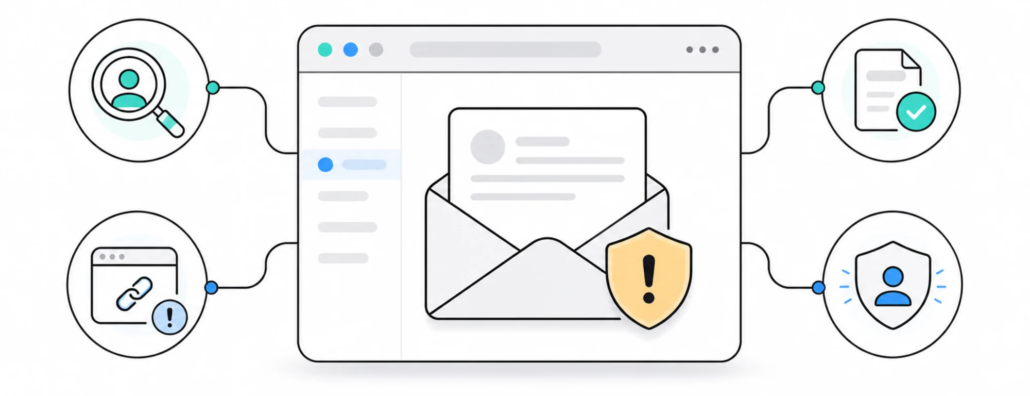
Scam Alert: Fraudulent Emails Impersonating Coma
Important warning for our clients: we have identified a phishing campaign in which criminals are impersonating me and contacting people from Coma’s portfolio. These messages are not from Coma.
The scammers are using Vadim Pavlovich‘s name, Coma branding, and information that is publicly available about our work. The emails may look convincing, but they can be identified by checking the actual sender address and the unexpected requests they contain.
If you receive an email from [email protected], it is not a Coma email. Do not reply, click links, make a payment, or share passwords or access details.
What happened
In August 2026, several of our clients received emails from the Gmail address [email protected]. The displayed sender name was Vadim Pavlovich, which could make the message look like a genuine conversation with me at first glance.
The email claimed that WordPress required an urgent domain renewal, app installation, and technical updates. It also gave a short deadline – August 20 – and suggested that the website could otherwise be suspended or exposed to security problems.
After a reply was received, some conversations moved towards payment. The sender offered external payment services, including PayPal, Venmo, or Zelle, and asked for payment confirmation by screenshot. This pattern is a common sign of fraud: first create urgency, then push the recipient to act quickly outside the normal business process.
What the fraudulent email looked like
The message was designed to look like professional Coma correspondence. It used:
- Vadim Pavlovich’s name and job title;
- the Coma logo, photograph, and email-signature layout;
- information about WordPress, domains, and technical maintenance;
- a short deadline intended to discourage careful checking;
- a request to approve the work and later make a payment.
Visual presentation does not prove that an email is genuine. A logo, signature, photograph, and contact details can be copied from a public website or an earlier conversation.
Check the actual email address
The most important warning sign in this case is the difference between the displayed name and the real address. The fraudulent emails used [email protected]. That is not my official Coma address.
Check the complete address behind the sender name, not just the name shown in Gmail or another email application. Be especially careful when a message:
- asks you to urgently renew a domain or plugins;
- threatens website suspension if you do not act by a stated date;
- asks you to install software or share access details;
- introduces a new payment method or asks you to pay outside the usual process.
What the available email source showed
We reviewed the available message source and headers. In the message we checked, the original sender was a Gmail account using [email protected], not a Coma address using the @coma.lv domain. This is consistent with email impersonation.
This source does not allow us to make a broader claim about every message in the campaign or to say that no account was ever at risk. It does not, however, show the checked fraudulent message being sent from our official domain mailbox.
Timeline
- The earliest quoted phishing message in the available forwarded conversation is dated August 15, 2026 at 7:20 AM. The quoted date does not include a time zone.
- The first warning to clients was sent on August 16, 2026 at 12:35 Eastern European Summer Time.
- Warnings to clients continued on August 17. We also received client reports about suspicious messages that day.
- A further wave was reported on August 20, followed by another client-forwarded example on August 21.
What to do if you received one
- Do not reply. A reply confirms that your address is active.
- Do not click links or open unexpected attachments.
- Do not make a payment or approve work based only on this email.
- Do not install software or share WordPress, hosting, domain, or email access details.
- Verify the message through a contact you already know or through coma.lv. Do not use the suspicious email’s Reply button.
- Report the message as phishing and delete it.
If you already replied, opened a link, installed software, shared access details, or made a payment, contact us immediately at [email protected]. If payment information was involved, contact your bank or the payment provider at the same time. If you entered a password on a suspicious website, change it from a safe device and check whether the same password is used anywhere else.
How to verify a genuine Coma message
If an email concerns your website, domain, maintenance, access, or payment, verify the request independently of the email you received. Use contact information saved in your agreement, an earlier conversation, or our website. Vadim Pavlovich’s official Coma contact is [email protected].
Coma will not unexpectedly ask clients to approve an urgent payment or share access details through a random Gmail address. When in doubt, one independent check before taking action is safer than trying to recover an account or payment afterwards.
This is a public warning about a specific impersonation campaign. If you received a similar message and want to help us check its spread, forward it as an attachment to [email protected]. Do not include passwords or other access details.
